Thunder Laser vs. Monport: What Owning Both Taught Me
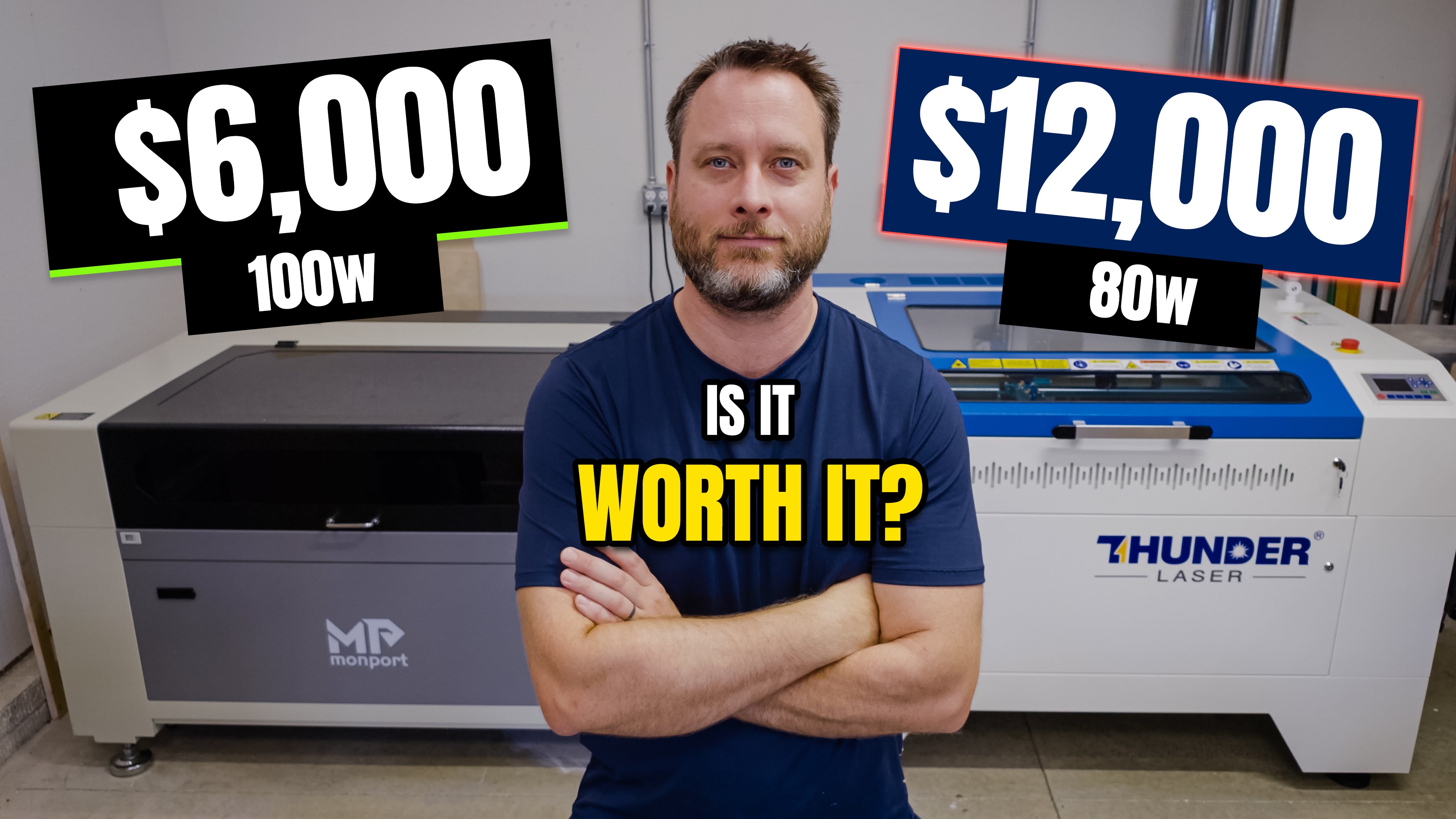
If you've been following my YouTube channel for a while, you know I love tools. But I don't buy tools just to collect them. Every tool in my shop has one job: help me make better products and hopefully make me money doing it.
That's exactly why I wanted to compare the Thunder Laser Nova Plus 80W RF and the Monport 100W CO₂ laser.
Not because one company reached out.
Not because I wanted to prove one was better than the other.
I simply wanted to answer a question I kept asking myself:
Is a Thunder Laser really worth another $6,000?
After owning both machines, I finally have an answer.
I Thought I Already Knew the Answer
Going into this comparison, I thought the biggest difference would be engraving quality.
It seemed obvious.
The Thunder costs almost twice as much, so surely it had to produce dramatically better engravings.
The funny thing is...that wasn't what impressed me the most.
Don't get me wrong. The Thunder does produce cleaner, sharper detail, especially on fine engraving. But after months of using both machines, I realized I was paying attention to the wrong thing.
The engraving is the easiest difference to show on camera.
The biggest differences are the ones you experience every day when you're actually using the machine.
Specs Only Tell Part of the Story
If you compare these lasers on paper, the Monport looks like the obvious winner.
You get:
- More wattage
- A larger work area
- A much lower price
Honestly, if all I had were the spec sheets, I'd probably choose the Monport too.
But here's something I've learned after reviewing a lot of tools.
Specifications tell you what a tool can do. They rarely tell you what it's like to own.
Those are two completely different things.
The Little Things Started Adding Up
Having both machines sitting next to each other in my shop gave me a perspective I don't think I'd have otherwise.
I started noticing little things.
How each machine moved.
How the gantry accelerated and changed direction.
How smooth the bed raised and lowered.
How everything fit together.
None of those things made me stop and say, "Wow, that's worth $6,000."
But after enough shop time, all of those little improvements started adding up.
It reminded me of the difference between driving an economy car and a luxury truck.
Both will get you to work.
One just feels more refined every mile you drive.
Support Isn't Exciting...Until You Need It
I'll be honest.
Customer support isn't something I think about when I'm buying a new tool.
I'm usually looking at features, price, and performance.
That changed pretty quickly.
I had a question about my Thunder and sent them an email.
A few minutes later they replied.
I responded.
A few minutes later they replied again.
It felt less like emailing customer service and more like texting someone who actually wanted to help.
When you're making products to sell, time matters.
Every hour your machine is sitting idle is an hour you're not making products.
Support suddenly becomes a whole lot more valuable when your laser is helping pay the bills.
Which Laser Would I Buy?
This is probably the question everyone wants answered.
If you're just getting started with laser engraving, I honestly think the Monport offers a lot of value.
You can absolutely build a business with it.
It cuts well.
It engraves well.
It gets the job done.
But if your laser is something you depend on every week, I completely understand why someone would invest in the Thunder.
You're paying for more than a laser.
You're paying for engineering.
You're paying for consistency.
You're paying for support.
You're paying for confidence that your machine is ready to work when you are.
One More Thing...
One of the biggest frustrations I had when I first started using lasers was figuring out the right settings for every material.
Every material seems to require a different combination of speed, power, frequency, and passes. I spent a lot of time running test pieces, wasting material, and taking notes just to dial everything in.
That's one of the reasons I created the Laser Settings Library over at CutListMaker.com.
As I continue testing different materials and laser machines in my own shop, I'm adding those settings to the library so other makers have a solid starting point instead of beginning from scratch. Every laser is a little different, so you'll still want to fine-tune for your machine, but having proven settings can save hours of testing and a lot of wasted material.
If you're getting into laser engraving or simply want to spend more time creating and less time experimenting, head over to CutListMaker.com and check out the growing Laser Settings Library. It's a free resource that I'll continue expanding as I test new materials and machines.
Watch the Full Comparison
The blog only scratches the surface.
If you want to see both lasers running side by side, compare the finished engravings, and hear my complete thoughts after owning both machines, be sure to watch the full video below.
I'd also love to hear from you.
If you own a Thunder, Monport, OMTech, xTool, or another CO₂ laser, leave a comment on the video and let me know what your experience has been. One of the best parts of this community is learning from each other, and your insights might help someone else make the right decision.
Thanks for stopping by, and I'll see you in the next project.
Phil
-
Posted in
lasers, monport laser, Thunder Laser, Tool Review